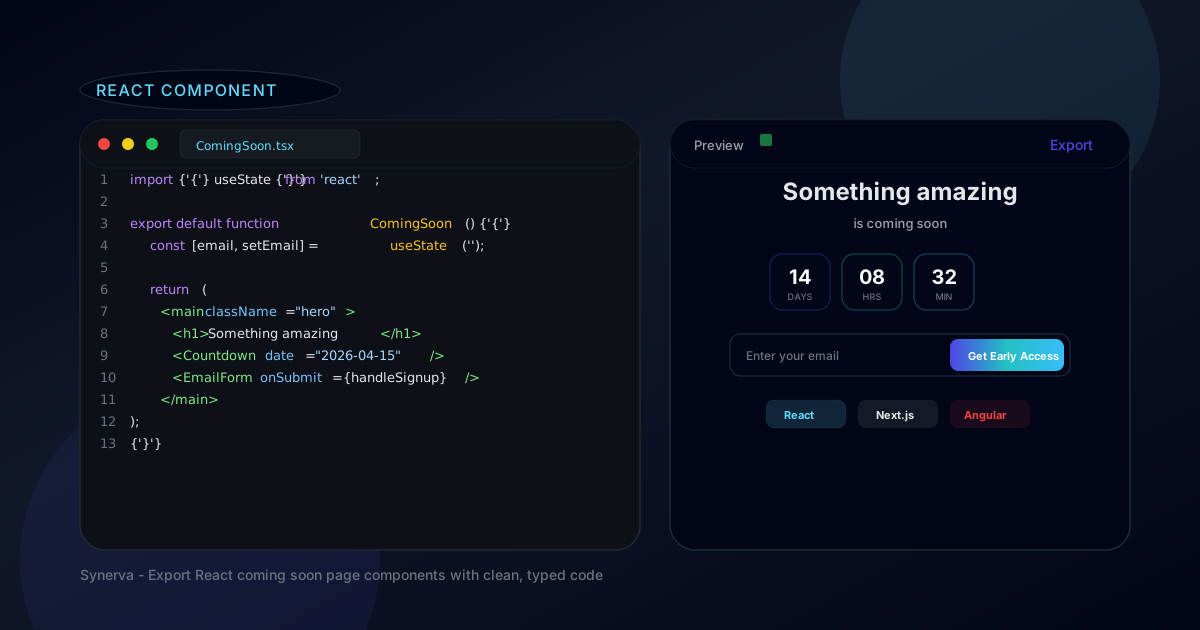
Introduction
If you are building with React or Next.js, you probably want your coming soon page to be a React component—not a static HTML file managed by a third-party platform. A React coming soon page component gives you type safety, component composition, easy state management for email forms and countdown timers, and seamless integration with the rest of your app.
The challenge is that building a polished coming soon page from scratch takes time. Responsive design, countdown logic, email capture, OG images, SEO meta tags—it adds up fast. You can easily spend a full day on a page that should take an hour.
In this guide, you will learn how to create a React coming soon page component two ways: by exporting one from Synerva (fastest) or by building from scratch (full control). We include real code examples, integration tips, and best practices for performance, SEO, and accessibility.
What Is a React Coming Soon Page Component?
A React coming soon page component is a self-contained React component (or set of components) that renders a pre-launch page. It typically includes a headline, value proposition, countdown timer, email signup form, and basic branding—all written in JSX with React hooks for interactivity.
Benefits over traditional HTML:
- Component composition. Break the page into reusable pieces:
<Countdown />,<EmailForm />,<SocialProof />. Each component manages its own state and logic. - Type safety. With TypeScript, your props are typed and your IDE provides autocomplete, catching bugs before they hit production.
- State management. React hooks make countdown timers and form submissions trivial to implement with proper loading, error, and success states.
- Integration. Drop the component into an existing Next.js or React Router project. Share layouts, themes, and utilities with the rest of your app.
Use cases: SaaS product launches, open-source project announcements, beta access pages, event registration pages, and any scenario where you want a pre-launch page that lives inside your React codebase.
How to Build a React Coming Soon Page
There are two paths to getting a React coming soon page. The first is fast and visual; the second gives you full control from line one. Choose based on your timeline and preferences.
Option 1: Export from Synerva (Fastest)
Synerva lets you design a coming soon page visually and export the result as a production-ready React or Next.js component. Here is the workflow:
- Create a project in Synerva and choose a coming soon template. Customize the copy, colors, fonts, layout, and imagery in the visual editor.
- Add interactive blocks. Drag a countdown timer, email signup form, social links, and testimonials onto the page. Configure each block's settings.
- Export as React. Click "Export" and choose React or Next.js as the target framework. Synerva generates a clean component file with typed props, hooks, and CSS modules.
- Drop into your project. Copy the exported files into your React or Next.js project. Install any dependencies (typically zero), and the component is ready.
What you get: A typed React component (or set of components) with countdown logic, form state management, responsive CSS, and accessibility attributes. No external runtime dependencies.
This approach takes 15–30 minutes from template selection to deployed page—compared to 4–8 hours building from scratch. And since you own the exported code, you can customize every line after export.
Option 2: Build from Scratch (Full Control)
If you want to build everything yourself, here is a minimal React coming soon page component you can start from:
import { useState, useEffect } from 'react';

type TimeLeft = {
  days: number;
  hours: number;
  minutes: number;
  seconds: number;
};

function useCountdown(targetDate: string): TimeLeft {
  const [timeLeft, setTimeLeft] = useState<TimeLeft>(
    calculateTimeLeft(targetDate)
  );

  useEffect(() => {
    const timer = setInterval(() => {
      setTimeLeft(calculateTimeLeft(targetDate));
    }, 1000);
    return () => clearInterval(timer);
  }, [targetDate]);

  return timeLeft;
}

function calculateTimeLeft(targetDate: string): TimeLeft {
  const diff = Math.max(
    0,
    new Date(targetDate).getTime() - Date.now()
  );
  return {
    days: Math.floor(diff / 86400000),
    hours: Math.floor((diff % 86400000) / 3600000),
    minutes: Math.floor((diff % 3600000) / 60000),
    seconds: Math.floor((diff % 60000) / 1000),
  };
}

export default function ComingSoon() {
  const [email, setEmail] = useState('');
  const [submitted, setSubmitted] = useState(false);
  const countdown = useCountdown('2026-04-15T00:00:00Z');

  async function handleSubmit(e: React.FormEvent) {
    e.preventDefault();
    await fetch('/api/waitlist', {
      method: 'POST',
      body: JSON.stringify({ email }),
    });
    setSubmitted(true);
  }

  return (
    <main className="coming-soon">
      <h1>Something amazing is coming</h1>
      <p>Get notified when we launch.</p>

      <div className="countdown">
        <span>{countdown.days}d</span>
        <span>{countdown.hours}h</span>
        <span>{countdown.minutes}m</span>
        <span>{countdown.seconds}s</span>
      </div>

      {submitted ? (
        <p>Thanks! We will notify you.</p>
      ) : (
        <form onSubmit={handleSubmit}>
          <input
            type="email"
            value={email}
            onChange={(e) => setEmail(e.target.value)}
            placeholder="you@example.com"
            required
          />
          <button type="submit">
            Get Early Access
          </button>
        </form>
      )}
    </main>
  );
}
Dependencies: None beyond React itself. The countdown logic uses a custom useCountdown hook with setInterval. The form submission hits your own API endpoint.
Structure: This is intentionally minimal. In production, you would add CSS (Tailwind, CSS Modules, or styled components), loading and error states for the form, meta tags for SEO, and responsive breakpoints. Building all of this from scratch typically takes 4–8 hours.
Synerva React Export: Deep Dive
When you export a coming soon page from Synerva as React, here is what the output looks like and how it integrates with your project.
How the export works. Synerva translates the visual layout into a component tree. Each block (headline, countdown, form, image) becomes a React component or JSX element. Styles are generated as CSS Modules or Tailwind classes depending on your export settings.
Code walkthrough. A typical export includes:
// File structure after export
your-project/
├── components/
│   └── coming-soon/
│       ├── ComingSoon.tsx        // Main page component
│       ├── Countdown.tsx         // Timer with useCountdown hook
│       ├── EmailForm.tsx         // Form with validation + API call
│       ├── SocialLinks.tsx       // Social media links
│       └── coming-soon.module.css // Scoped styles
└── pages/ (or app/)
    └── coming-soon.tsx           // Route entry point
Customization options. After export, you have full control. Change the copy, swap out components, adjust styles, add animations, or integrate with your existing design system. The code is yours—no runtime dependency on Synerva.
Integration with Next.js. The exported component works out of the box with Next.js App Router and Pages Router. For App Router, the main component exports metadata for SEO. For Pages Router, it uses getStaticProps where needed. Synerva detects your project type and generates the right structure.
Performance considerations. The exported code is static-first: no client-side JavaScript is needed for the initial render. The countdown timer hydrates on the client using a lightweight useEffect hook. Images use Next.js <Image> for automatic optimization. Lighthouse scores of 95+ are typical out of the box.
Best Practices for React Coming Soon Pages
Whether you export from Synerva or build from scratch, follow these practices to make your React coming soon page fast, accessible, and search-engine friendly.
Performance optimization.
- Keep the bundle small. A coming soon page should not load your entire app's JavaScript. Use route-level code splitting or a separate entry point.
- Use
next/imageor responsive images withsrcSetfor hero visuals. Serve WebP where supported. - The countdown timer is the only JavaScript that needs to run on the client. Everything else can be server-rendered or static.
SEO considerations.
- Set proper
<title>and<meta name="description">tags. In Next.js, export ametadataobject from your page component. - Add Open Graph and Twitter Card meta tags so your page looks good when shared on social media.
- Use semantic HTML:
<main>,<h1>,<form>. Screen readers and search engines rely on it.
Accessibility.
- Label all form inputs with
aria-labelor visible<label>elements. - Ensure color contrast meets WCAG AA (4.5:1 for text, 3:1 for large text).
- The countdown timer should have an
aria-liveregion so screen readers announce updates.
Mobile responsiveness. Test on real devices. Common issues: countdown timer blocks that do not wrap on narrow screens, email forms with input fields that are too wide, and hero images that break aspect ratio. Use CSS Grid or Flexbox with flex-wrap.
Testing. Write a basic test for the countdown hook (does it count down?) and the email form (does it submit, show loading, show success?). React Testing Library makes this straightforward.
Real Examples: React Coming Soon Pages
Here are real-world examples of teams that use React-based coming soon pages effectively.
1. SaaS launches on Next.js. Many Y Combinator startups ship their coming soon page as a Next.js route alongside their main marketing site. The page shares the same design system, fonts, and components—so when the product launches, the transition from "coming soon" to "live" is a single route swap with zero design drift.
2. Open-source project announcements. Projects like Cal.com and Dub.co used React-based coming soon pages during their pre-launch phases. The pages lived in the same monorepo as the product, making it trivial to share components and deploy with the same CI/CD pipeline.
3. Indie SaaS with code export. Solo developers using Synerva export their coming soon page as a Next.js component, customize the code (add custom analytics, referral tracking, or Stripe pre-orders), and deploy to Vercel. The entire process—from Synerva template to live page—takes under an hour.
Frequently Asked Questions
Can I use the exported React component with Next.js App Router?
Yes. Synerva detects your project type and generates compatible code. For App Router, it exports a metadata object for SEO and uses client components only where interactivity is needed (countdown, form). Server components are used by default.
Does the exported code have any runtime dependencies?
No. The exported code uses only React (and Next.js if you choose that target). There are no Synerva runtime libraries, no external CSS frameworks (unless you choose Tailwind), and no tracking scripts.
How do I add email capture to a React coming soon page?
The Synerva export includes an EmailForm component with form validation and submission logic. For DIY builds, create a form that POSTs to your API endpoint (e.g., /api/waitlist) and stores the email in your database or sends it to your email provider.
Can I customize the exported code?
Absolutely. The exported code is yours. Change anything—copy, styles, components, logic, API endpoints. There is no lock-in and no connection back to Synerva after export. See our builder comparison for more on why code export matters.
Export Your React Component with Synerva
A React coming soon page component gives you the best of both worlds: the speed of a template with the flexibility of custom code. Whether you export from Synerva or build from scratch, you end up with a type-safe, testable, deployable component that fits into your existing React or Next.js project.
For most teams, exporting from Synerva is the fastest path. Design in the visual editor, export clean React code, customize as needed, and deploy. You save hours without giving up control. Learn how to create a coming soon page step by step, or compare all coming soon page builders to see why Synerva is the best choice for developers.
Export your React component with Synerva. Design visually, export typed code, deploy anywhere. Free to start—no credit card required.